Manga Translation Guides · JAPANESE STUDY WORKFLOW · Updated 2026-11-20
Compare Raw Japanese Manga Side-by-Side with AI Translations

| Dimension | Manual Dictionary & OCR Lookup | AI Translate Manga |
|---|---|---|
| Input & Setup | Manual region cropping and separate dictionary lookups per bubble | Upload up to 20 Japanese PNG, JPG, or PDF pages per batch in browser |
| Pricing & Trial | Free tools with high friction or monthly OCR subscriptions | 4 free pages for new Google sign-ins (valid 30 days); $4.99 one-time for 100 pages (valid 12 months) |
| Output & Formats | Text snippets copied into external notes without visual context | Flattened translated PNGs or batch ZIP archive alongside your saved raw files |
| Key Limitation | Slow reading pace disrupts story immersion and colloquial flow | Japanese source manga only; no interactive furigana hover or editable speech bubbles |
Why JLPT N3 to N1 learners need side-by-side manga comparison
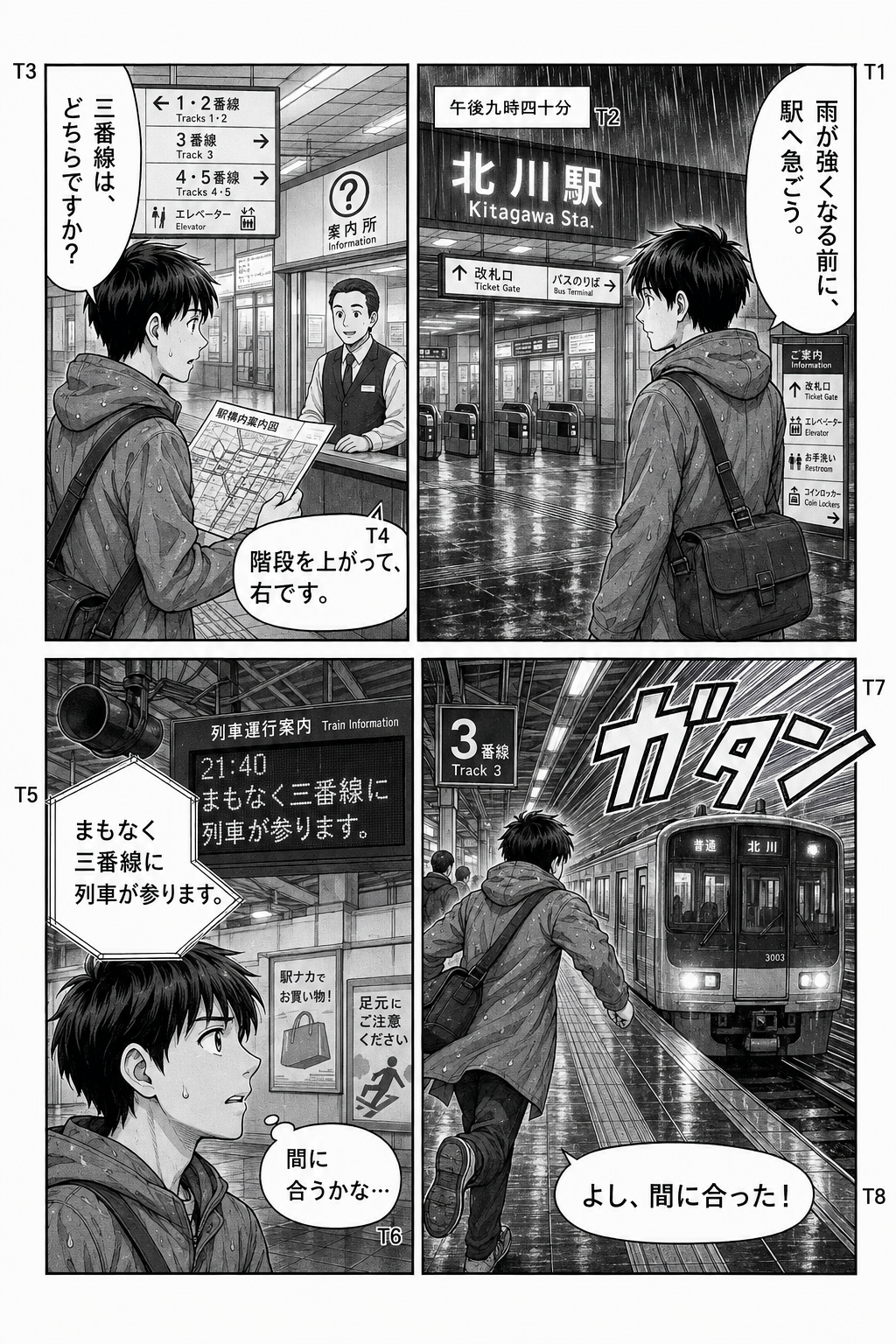
Reading raw Japanese manga exposes intermediate and advanced learners to casual contractions, slang, and spoken particles rarely covered in standard textbooks. However, standard image translators permanently paint over speech bubbles, hiding the original kanji and furigana right when you want to verify how a sentence was constructed.
By keeping your untouched raw files paired with AI-translated pages, you can attempt to read the Japanese dialogue first and glance at the English or Simplified Chinese translation only when colloquial phrasing blocks comprehension. Using the web results viewer or storing both image folders side-by-side turns native manga into structured, low-friction intensive reading material.
- Preserve original vertical typography, furigana, and handwritten nuances in your raw copy while checking meaning in the translated output.
- Spot how casual contractions, sentence-ending particles, and idiomatic expressions map to natural English or Simplified Chinese.
- Archive paired raw and translated PNG files in dual-pane study apps, flashcard decks, or personal reading notes.
Step-by-step dual-folder setup for intensive reading notes
Setting up a clean bilingual study archive takes minimal preparation. Because AI Translate Manga never overwrites the local raw files on your device, downloading the translated batch lets you align both versions page for page on any desktop monitor or tablet split-screen.
- Organize your raw chapter images sequentially before uploading so page numbers align cleanly with the translated ZIP archive.
- Open the raw folder on one side of your screen and the translated PNGs on the other to read Japanese first and check translations second.
- Screenshot specific panel pairs into study notebooks or flashcard tools when you encounter unfamiliar N2 or N1 grammar patterns.
Practical technical limits before you start
Knowing the exact file and output boundaries ensures your study sessions run smoothly without wasted page credits or formatting surprises.
- Japanese source manga only: Korean, Simplified Chinese, and Traditional Chinese source uploads are not supported, and outputs are strictly English or Simplified Chinese.
- Upload size and batch caps: PNG and JPG files must be 5 MB and 20 MP or smaller, PDF uploads up to 50 MB, with up to 20 pages processed per batch.
- Flattened image output only: Downloads are delivered as flattened PNG images or a ZIP archive; there is no live text layer, selectable OCR transcript, editable speech bubble tool, or rebuilt PDF export.
Step-by-step checklist
- 1Sign in with Google on AI Translate Manga to unlock 4 free trial pages valid for 30 days across the web uploader and desktop Chrome extension.
- 2Keep a clean folder of your original Japanese manga pages (PNG or JPG up to 5 MB / 20 MP each, or PDF up to 50 MB) and upload up to 20 pages in a single batch.
- 3Choose English or Simplified Chinese as your target study language and start translation; if any job fails, your page credits are automatically restored.
- 4Compare the original Japanese text and translated dialogue directly on the results page, or download the translated ZIP archive to view alongside your raw files in split-screen.
Frequently asked questions
Does translating a page overwrite my original raw Japanese manga file?
No. Your local source files remain completely untouched on your device. AI Translate Manga generates new flattened PNG images for the translated version, allowing you to view both versions side-by-side on the results screen or save both sets locally.
Can I extract selectable Japanese text or hover over furigana inside the translated image?
No. The platform outputs flattened PNG images inside a single download or batch ZIP archive rather than an interactive text layer, editable bubble editor, or rebuilt PDF. You read the original kanji and furigana directly from your raw image.
How much does it cost to translate manga chapters for ongoing Japanese study?
New Google sign-ins receive 4 free pages valid for 30 days, shared between the web upload tool and the desktop Chrome extension. When you need more volume, a $4.99 one-time pack gives you 100 pages valid for 12 months with no recurring subscription or auto-renewal.
Can I upload Korean webtoons or Chinese comics for bilingual comparison?
No. AI Translate Manga exclusively supports Japanese manga as the source input and outputs only into English or Simplified Chinese. Korean and Chinese source uploads are not supported.