AI Translate Manga · Original test cases · Updated September 28, 2026
Manga Translation Examples: Real Results and Limitations
See what AI manga translation actually looks like: readable dialogue placed inside the artwork, alongside imperfect signs, sound effects and dense lettering. Compare Japanese originals with saved English and Simplified Chinese results from our own test artwork. These are real saved outputs, not customer testimonials, newly generated examples or human-reviewed localization.
Case 1: Japanese manga → English
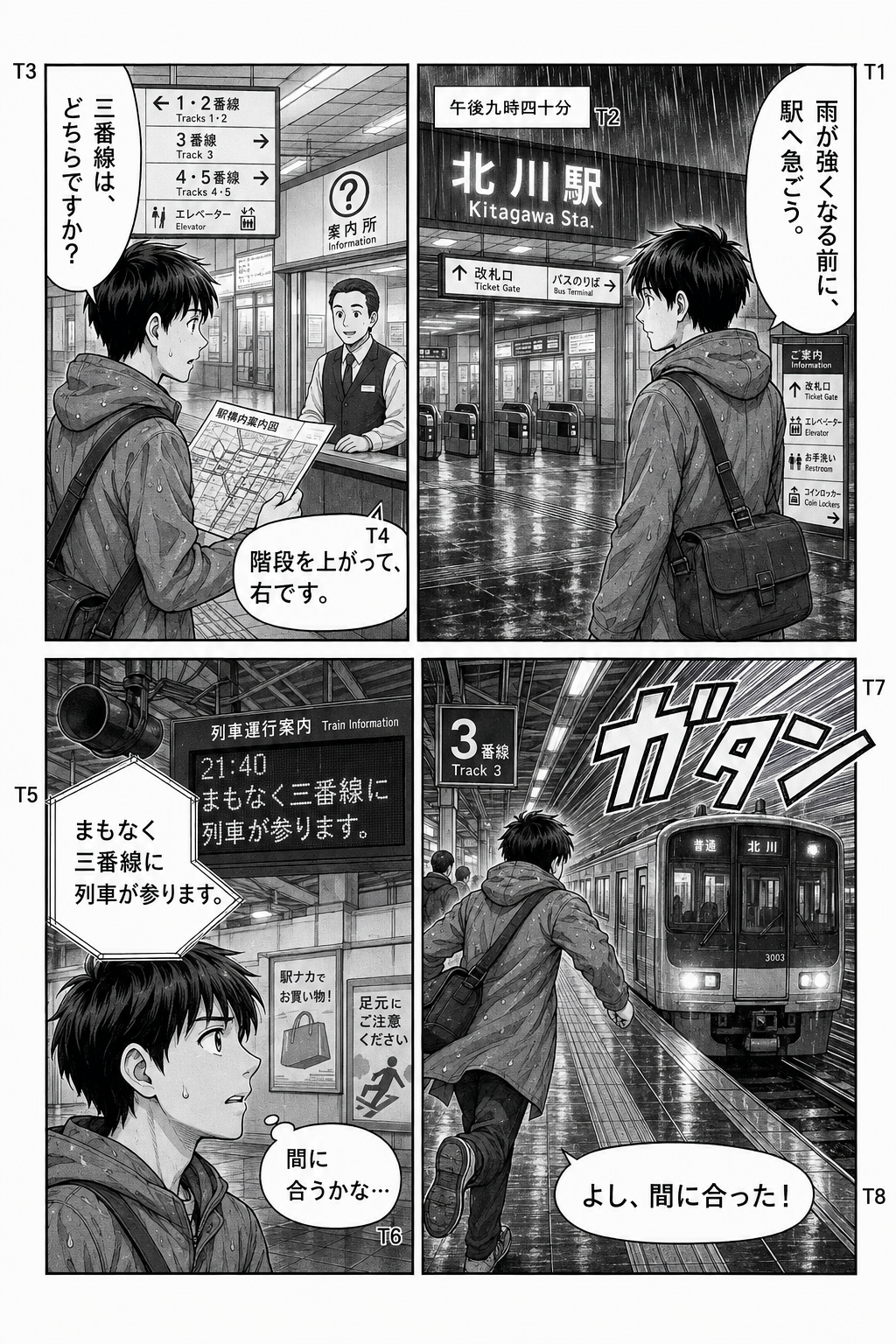

What this result shows
The main speech bubbles contain readable English, including the directions to go up the stairs and turn right. Translated words are placed back inside the artwork rather than shown in a separate transcript. This makes the reading format easy to compare with the original.
What still needs checking
- Dense signs: the train-schedule area has overlapping and repeated text. Small labels can become crowded even when the larger dialogue is readable.
- Sound effects: the large English sound effect changes the look of the panel. Its wording and size need review; a fluent-looking result does not establish accuracy.
- Meaning and reading order: compare every bubble with the original. This example is not a measured accuracy score or proof that all manga pages work equally well.
Case 2: Dense signs and small text
Look at the timetable in the lower-left panel of Case 1, using the unchanged full-size English result. Ordinary directions in the speech bubbles are readable, but smaller train-schedule text repeats and overlaps. This is a closer reading of the same result, not a separate successful test. See the text overlap guide before retrying.
Case 3: Stylized sound effects can remain untranslated
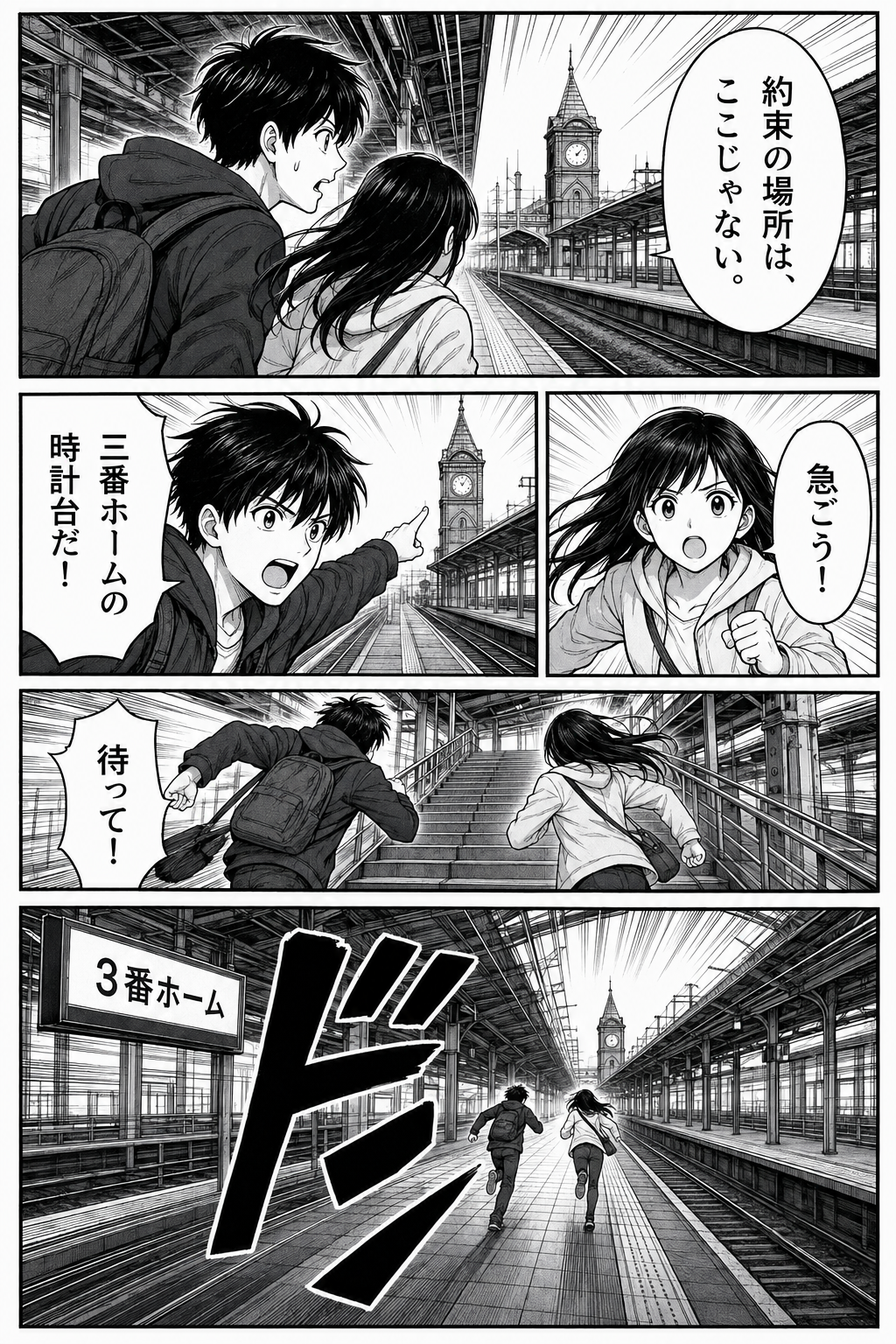
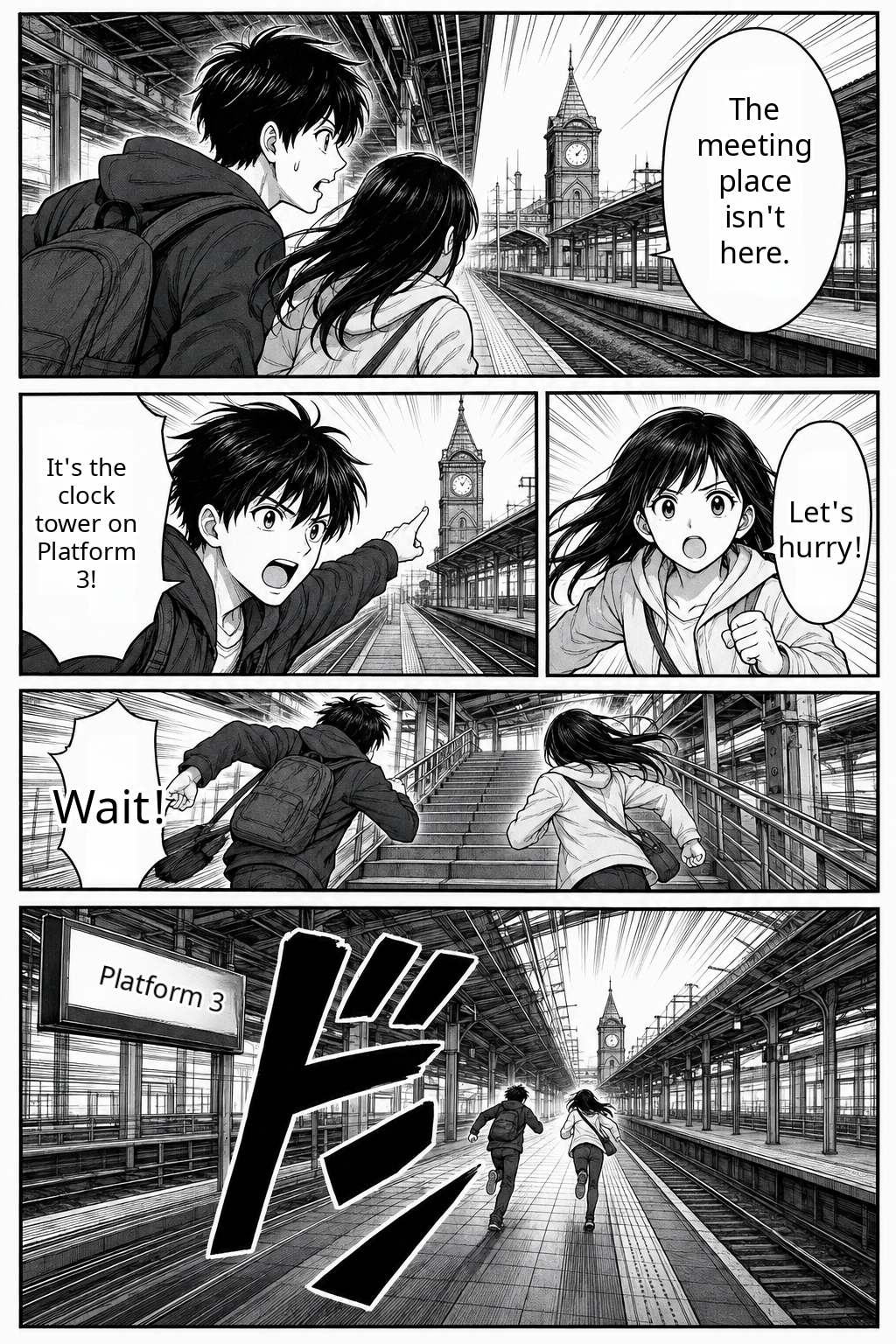
Do not treat readable dialogue as proof that every drawn sound effect was translated. Large stylized lettering can remain in Japanese or need separate interpretation. This is a limitation example, not a dedicated sound-effects translator.
Case 4: Japanese manga → Simplified Chinese
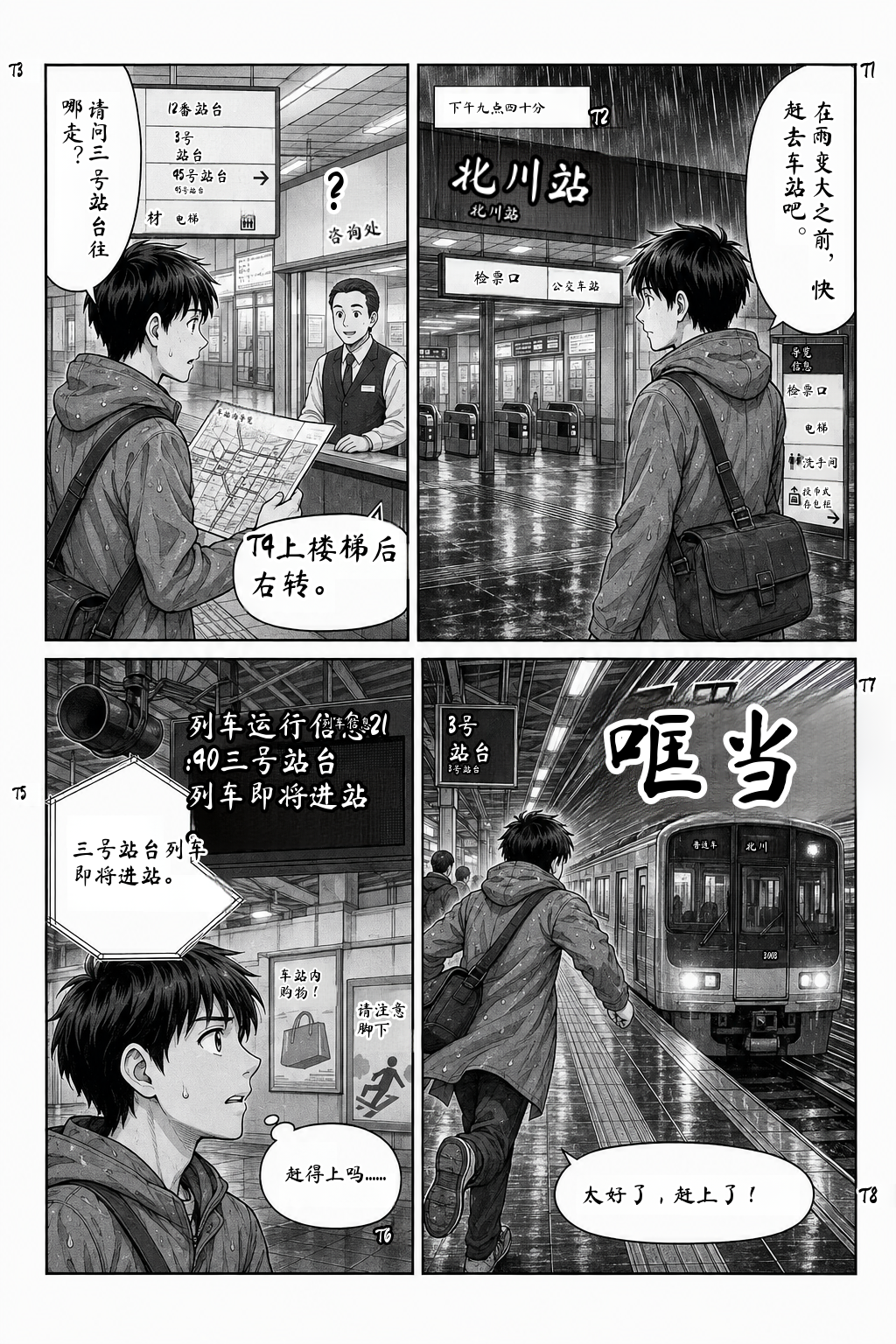
The dialogue is placed back into the panels in Simplified Chinese. Compare it with the original Japanese page; small labels, wording and crowded text still need review. English and Chinese are output choices, not evidence that every region of either result is correct.
Does translation preserve the artwork?
These outputs retain the recognizable panels and characters, with translated lettering inside the image. Text removal and replacement can alter local artwork; this is not a pixel-identical preservation guarantee. Inspect fine lines near signs and bubbles before sharing a result.
PDF multi-page workflow — not a completed case study
For a PDF you are permitted to use, the browser prepares pages locally and submits them one at a time. The current limits are 50 MB per PDF and 20 pages per batch, subject to your balance. Results are PNG images or a ZIP, not a rebuilt PDF. We are not presenting a new verified multi-page output set here; see the PDF workflow.
Try one page before a whole chapter
- Choose a clear Japanese PNG or JPG you own or have permission to translate, up to 5 MB.
- Open the upload tool and sign in with Google. New accounts receive 4 trial pages, valid for 30 days.
- Select English under Translate to, choose the image, then click Translate pages.
- Compare the original and result. Check small text and speech bubbles before downloading the translated image or submitting more pages.
Each successful page uses 1 credit. Failed translation jobs restore reserved credits. Current batches are limited to 20 pages and your available balance. See page-pack pricing.
Text overlapping? See the troubleshooting guide · Using a phone? See the upload steps
Other ways to read
For a saved document, read the PDF workflow: output is page images or a ZIP, not a rebuilt PDF. For web reading, use the desktop Chrome extension guide; Canvas pages support opt-in automatic translation of settled visible sections from version 0.2.16, and iframe readers are not supported.
Explore three saved reading samples · Japanese-to-Chinese instructions